
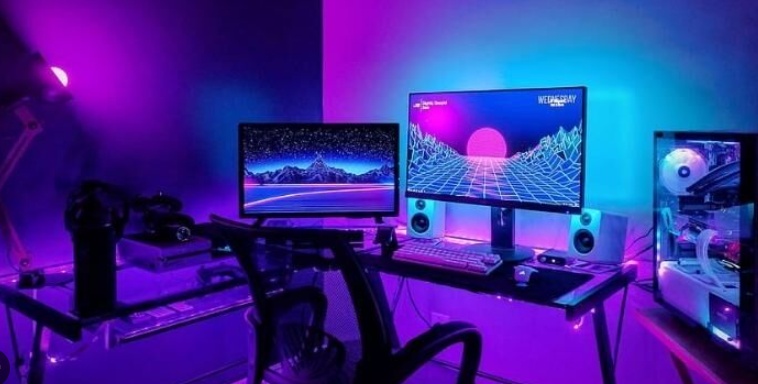
Gaming computers are complex systems that need to be optimized to deliver maximum performance. Performance optimization significantly enhances the gaming experience and extends the lifespan of the computer. In this article, we will share some tips that will help you get the best performance from your gaming PC. We will cover everything from updating the operating system to the latest version, configuring performance settings, and cleaning memory.
Update the operating system to the latest version
An updated operating system is one of the most important factors that directly affect your computer’s performance. Having the operating system at the newest version not only gives you access to new features but also performance improvements and security updates.
- Security improvements: New versions contain security patches that protect the computer against malware and cyber attacks. This ensures stable and secure operation of the computer.
- Performance increase: New updates usually come with enhancements that optimize system performance. This means fewer crashes and a smoother experience during gaming.
- Compatibility: Games and other programs are developed to be compatible with the latest operating system versions. This ensures maximum compatibility and performance with the updated OS.
Configure your computer’s performance settings
To maximize your computer’s performance, it may be necessary to optimize certain system settings. These settings allow the hardware to operate at its full capacity.
- Optimize power settings: Switch your computer’s power settings to “High Performance” mode to utilize the full potential of the CPU and graphics card. This setting provides a noticeable performance boost, especially during gaming.
- Configure graphic settings: Keeping your graphics card drivers updated ensures higher frame rates and lower latency in games. Also, optimizing in-game graphic settings is important for both performance and visual quality.
- Reduce startup programs: Disable unnecessary programs that start automatically with your computer to allow faster boot times and reduced resource usage during gaming.
Clean your computer’s memory
Cleaning your computer’s memory ensures faster and more efficient system operation. Memory management is a critical step to boost performance, especially on computers used for long periods.
- Clean unnecessary files: Unused temporary files, old installation files, and junk files take up disk space and reduce system performance. Use disk cleanup tools to delete these files regularly.
- Remove malware: Malware can significantly reduce your computer’s performance. Regularly scan and clean your system using antivirus software.
- Optimize RAM memory: Optimizing RAM provides a faster and smoother gaming experience. Close unnecessary background applications and use RAM cleaning tools to assist in this.
If you want more information about performance optimization, you can visit cumparamsecondhand.com for information about refurbished devices and servers. You will find solutions tailored to your needs for refurbished servers and servers.
By following these tips, you can maximize your gaming PC’s performance and enjoy a smoother and more enjoyable gaming experience. Remember, regular maintenance and optimization ensure a longer lifespan for your computer.

